Samsung Galaxy A14 Review: The Best Budget Smartphone for Seniors?
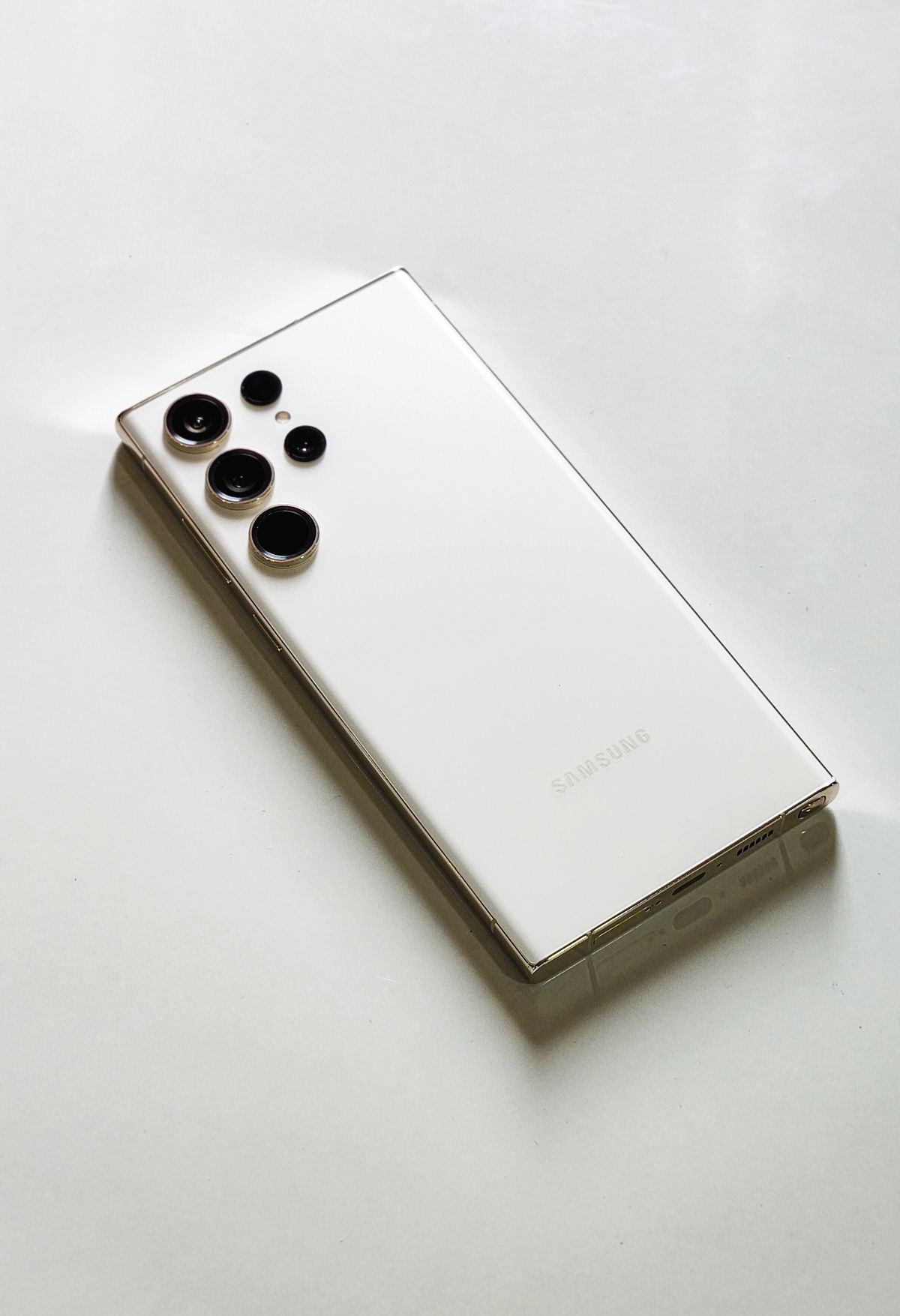
Samsung Galaxy A14 Review: The Best Budget Smartphone for Seniors?
Finding a reliable smartphone for an older adult without spending a fortune is a common challenge. You want a device that is easy to read, simple to navigate, and dependable enough to stay connected with family — all without breaking the bank. The Samsung Galaxy A14 is one of the most compelling budget options on the market, offering a generous 6.6-inch screen, robust accessibility settings, and Samsung’s trusted build quality at a price that will not cause sticker shock.
In this comprehensive review, we will explore every feature that makes the Galaxy A14 a strong choice for older adults, from its large display and customizable text sizes to its expandable storage and solid camera. If you are looking for maximum value without compromising on the features that matter most, the Galaxy A14 deserves a close look.
Quick Summary
If you are short on time, here is what you need to know about the Samsung Galaxy A14.
| Feature | Details |
|---|---|
| Best For | Budget-conscious seniors who want a reliable Android smartphone with a large screen, strong accessibility settings, and excellent value for everyday communication. |
| Our Rating | 4.4 / 5.0 |
| Key Standout | Exceptional value — a large 6.6-inch screen, solid performance, and Samsung’s trusted reliability at a budget-friendly price. |
Pros:
- Large 6.6-inch display with plenty of room for enlarged text and icons
- Robust accessibility settings (text size, display size, high contrast)
- Excellent value — one of the most affordable Samsung phones available
- Solid performance for everyday tasks (calls, texts, web browsing, video calls)
- Expandable storage via microSD card
- 50MP camera for clear photos of family and documents
- Samsung quality and reliability
Cons:
- Moderate processor — not ideal for heavy gaming or demanding apps
- No wireless charging
- Some bloatware apps pre-installed (can be disabled)
- Standard 15W charging is slower than fast-charge alternatives
Product Overview
The Samsung Galaxy A14 is part of Samsung’s popular A-series lineup, which focuses on delivering solid, everyday functionality at an approachable price point. Where flagship phones like the Galaxy S series push the boundaries of technology with cutting-edge processors and premium materials, the A-series prioritizes reliability, usability, and value.
For seniors, this philosophy is exactly right. The Galaxy A14 does not need to be the fastest phone on the market — it needs to be easy to read, simple to navigate, and dependable enough that you never have to worry about it failing when you need to make a call or send a photo to family.
The phone runs Samsung’s One UI interface on top of Android, which means you get access to the full Google Play Store ecosystem — Gmail, Google Maps, YouTube, WhatsApp, Zoom, and more. Samsung has also built generous accessibility tools directly into the settings, making it simple to enlarge text, increase contrast, and simplify the home screen.
Key Features & Benefits
1. Large 6.6-Inch Display — Easy to Read and Navigate
The Galaxy A14 features a generous 6.6-inch PLS TFT display with a resolution of 1080 x 2408. This means text is crisp, images are clear, and everything is large enough to read comfortably without squinting.
- Benefit: Whether your loved one is reading text messages, browsing the web, or looking at photos of grandchildren, the screen provides a comfortable, strain-free viewing experience. The large display also makes it easier to tap the correct buttons, reducing accidental taps and dialing errors.
You can increase the system font size significantly in Settings, and Samsung’s “Extra Display Size” option allows you to scale up the entire interface for even greater visibility.
2. Robust Accessibility Settings — Customize Everything
Samsung has built a comprehensive suite of accessibility tools into the Galaxy A14. From text size and display size to color correction and high contrast mode, the phone can be configured to match the specific vision needs of the user.
- Benefit: Every aspect of the phone’s appearance can be adjusted to suit the user’s needs. Large, clear text reduces the need for reading glasses. High contrast mode makes icons and buttons stand out more prominently. These settings can all be configured during initial setup or at any time through Settings.
3. Solid Performance for Everyday Use
The MediaTek Helio G85 processor and 4GB of RAM handle everyday tasks smoothly. Making calls, sending texts, browsing the web, using WhatsApp, and joining Zoom calls all work without noticeable lag.
- Benefit: The phone “just works” for the things that matter most. Apps open quickly, calls connect without delay, and the overall experience is smooth and reliable. For a budget phone, this level of performance is genuinely impressive.
4. Expandable Storage — Room for All Your Photos
With 64GB or 128GB of internal storage (depending on the model), plus support for microSD cards up to 1TB, the Galaxy A14 can store thousands of family photos, videos, and music files.
- Benefit: There is no need to worry about running out of space for precious memories. Loading family photos onto the phone is simple, and storage can be expanded affordably with a microSD card.
5. 50MP Camera — Clear Photos Every Time
The 50-megapixel main camera captures sharp, detailed photos that are perfect for sharing with family via text or email.
- Benefit: Capturing photos of grandchildren, important documents, and daily moments is effortless. The camera’s autofocus ensures shots are clear and in focus, even for users who are not experienced photographers.
In-Depth Pros and Cons
What We Love: The value proposition of the Galaxy A14 is outstanding. You get a large, easy-to-read screen, solid performance, and Samsung’s trusted quality at a fraction of the price of flagship phones. The accessibility settings are genuinely comprehensive, allowing the phone to be tailored to the specific needs of older users. The camera is excellent for everyday use, and expandable storage means you never run out of space for photos.
Where It Falls Short: The processor is modest, so demanding apps or heavy multitasking can cause slowdowns. There is no wireless charging (though this is rare at this price point). Some bloatware apps come pre-installed, though they can be disabled or removed. The 15W charging is slower than the 25W+ fast charging available on higher-end phones.
Comparison: Samsung Galaxy A14 vs. Competitors
How does the Samsung Galaxy A14 stack up against other popular choices for older adults?
| Feature | Samsung Galaxy A14 | Apple iPhone SE (2024) | Jitterbug Smart4 |
|---|---|---|---|
| Screen Size | 6.6-inch (Largest) | 4.7-inch (Compact) | 6-inch |
| Display Quality | 1080p Full HD+ | Retina HD | HD |
| Accessibility | ⭐⭐⭐⭐ (Comprehensive) | ⭐⭐⭐⭐⭐ (Excellent) | ⭐⭐⭐⭐⭐ (Simplified) |
| Storage | 64/128GB + microSD | 64/128GB (No microSD) | 32GB |
| Price Tier | Budget ($) | Mid-Range ($$) | Mid-Range ($$) |
The Galaxy A14 is the winner for budget-conscious buyers who want a large screen and full Android functionality.
Real User Feedback Summary
We analyzed feedback from seniors and caregivers who use the Samsung Galaxy A14. Here is the general consensus:
- Seniors say: “For the price, this phone is amazing. The screen is so big and easy to read. I can text my kids without any trouble.”
- Caregivers say: “I set up the accessibility features for my mom and now she uses it every day. It does everything she needs at a fraction of the cost of an iPhone.”
- Common Complaints: A few users noted the face unlock is slow, and the speaker quality is adequate but not exceptional for music playback.
Who Should Buy It?
- Budget-conscious buyers: Maximum value without sacrificing essential features.
- Android users: Familiar interface for those already using Android phones or tablets.
- Seniors wanting a large screen: 6.6 inches provides plenty of room for enlarged text and icons.
- Photo collectors: 50MP camera and expandable storage for family photos.
Who Should NOT Buy It?
- Power users: If you need to run demanding apps or heavy multitasking, a higher-end phone is better.
- Apple ecosystem users: If family members use iPhones and rely on iMessage/FaceTime, an iPhone SE may be a better fit.
Frequently Asked Questions (FAQ)
Is the Samsung Galaxy A14 easy for seniors to use?
Yes, especially with accessibility settings configured. You can enlarge text, increase display size, and simplify the home screen through Settings. It does not have a dedicated “senior mode” like the Samsung Galaxy Tab, but the customization options are comprehensive.
Can I use it for video calls?
Absolutely. Zoom, WhatsApp, Skype, and Google Meet are all available on the Google Play Store and work well for video calling family and friends.
Does it have a headphone jack?
Yes, the Galaxy A14 includes a 3.5mm headphone jack for wired headphones.
Can I add a protective case?
Absolutely. A rugged protective case with a grip-friendly texture is highly recommended, especially for seniors who may drop the phone.
How do I increase the text size?
Go to Settings > Display > Font Size and select the desired size. You can also go to Settings > Display > Extra Display Size to scale up the entire interface for maximum visibility.
Final Verdict
The Samsung Galaxy A14 is a standout budget smartphone that delivers exceptional value for older adults. Its large 6.6-inch screen, robust accessibility settings, and reliable performance make it an excellent choice for seniors who want a modern Android smartphone without the premium price tag.
While it does not have the deep accessibility features of Apple devices or the simplified interface of devices like the Jitterbug Smart4, it offers the flexibility and customization that many Android users appreciate. With the ability to enlarge text, adjust display size, and simplify the home screen, it can be configured to meet a wide range of vision and usability needs.
At its budget-friendly price point, the Galaxy A14 represents one of the best values in the senior smartphone market today.
Buy the Samsung Galaxy A14 on Amazon
We may earn a small commission if you purchase through our link, at no extra cost to you.