Apple iPhone SE (2024) Review: The Best Compact iPhone for Seniors?
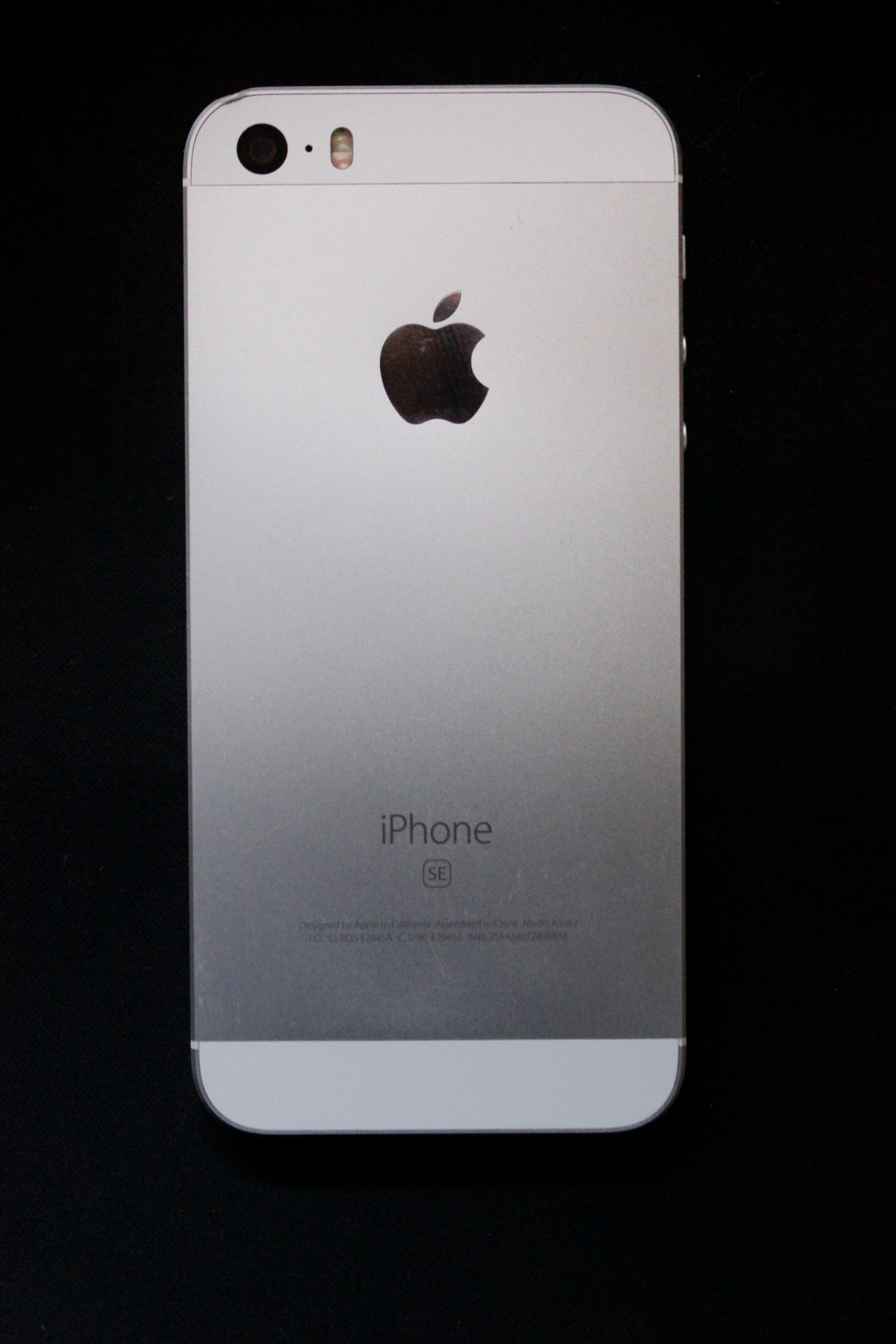
Apple iPhone SE (2024) Review: The Best Compact iPhone for Seniors?
For many older adults, the idea of a modern smartphone without a home button is daunting. Years of muscle memory — pressing that familiar circular button to go home, authenticate with Touch ID, and navigate effortlessly — make the iPhone SE (2024) feel like a natural choice. The latest generation iPhone SE brings Apple’s industry-leading accessibility features, a powerful chip for smooth performance, and the beloved home button into one of the most affordable iPhones ever made.
In this comprehensive review, we will explore every feature that makes the iPhone SE (2024) a strong choice for older adults — from its familiar home button and Touch ID to its exceptional accessibility tools and seamless integration with the Apple ecosystem.
Quick Summary
If you are short on time, here is what you need to know about the Apple iPhone SE (2024).
| Feature | Details |
|---|---|
| Best For | Seniors who want the reliability and accessibility of an iPhone in a compact, familiar design with a physical home button and Touch ID. |
| Our Rating | 4.7 / 5.0 |
| Key Standout | The physical home button with Touch ID provides the most familiar, comfortable iPhone experience available today — and Apple’s accessibility features are the best in the industry. |
Pros:
- Physical home button with Touch ID for familiar, secure navigation
- Compact, lightweight design fits comfortably in one hand
- Industry-leading accessibility features (VoiceOver, zoom, large text, hearing aid support)
- Powerful A15 Bionic chip for smooth, fast performance
- Seamless integration with Apple ecosystem (iMessage, FaceTime, iCloud Photos)
- Long software support (5+ years of iOS updates)
- High-quality camera for clear photos and video calls
Cons:
- Smaller 4.7-inch screen may be challenging for those with significant vision impairments
- No Face ID (home button uses Touch ID instead)
- Limited to Apple App Store apps (as with all iPhones)
- Higher price than basic Android alternatives
Product Overview
The Apple iPhone SE (2024) is the fourth generation of Apple’s popular budget-friendly iPhone line. Apple has consistently positioned the SE as the iPhone for those who want Apple’s renowned quality, security, and ecosystem integration without paying for the latest flagship features.
The standout feature of the iPhone SE (2024) is its physical home button with Touch ID. This is increasingly rare in modern smartphones, as most manufacturers have moved to edge-to-edge displays and face recognition systems. For seniors who have used older iPhones (like the iPhone 6, 7, or 8), the home button provides a familiar anchor in an increasingly unfamiliar smartphone landscape.
The A15 Bionic chip — the same processor used in the iPhone 13 series — ensures that the SE is fast, responsive, and capable of handling all the apps and features that matter to older adults. Apps open instantly, web browsing is smooth, and video calls work without stuttering.
But perhaps the most compelling reason to choose an iPhone for an older adult is Apple’s accessibility leadership. Apple has invested heavily in tools that make the iPhone usable for people with vision, hearing, motor, and cognitive challenges. From VoiceOver (a comprehensive screen reader) to Made for iPhone hearing aid compatibility, Apple has built a device that adapts to the user rather than forcing the user to adapt to it.
Key Features & Benefits
1. Physical Home Button with Touch ID — Familiar and Secure
The home button is the defining feature of the iPhone SE for many older users. Press it once to return home, press and hold to activate Siri, and tap it to authenticate with Touch ID.
- Benefit: No need to learn swipe gestures, no confusing gestures to memorize. The home button provides reliable, tactile navigation that has been refined over years of iPhone development. Touch ID also allows secure unlocking without needing to remember a passcode or use Face ID.
2. Industry-Leading Accessibility Features
Apple’s accessibility suite is the most comprehensive of any smartphone manufacturer. Key features for seniors include:
VoiceOver: A full-featured screen reader that audibly describes everything on the screen, making the iPhone usable for those with significant vision impairments.
Zoom: A built-in magnification tool that can enlarge any part of the screen up to 15x, making text and icons easier to read.
Larger Text: System-wide text can be increased significantly, making emails, messages, and articles comfortable to read.
Hearing Aid Compatibility: The iPhone is certified as Made for iPhone (MFi), meaning it can stream audio directly to compatible hearing aids with minimal delay.
Eye Control: Users with limited motor control can navigate the iPhone using eye movements tracked via the front camera.
- Benefit: The iPhone adapts to the user’s needs rather than requiring the user to adapt to the device. This is the most accessibility-rich smartphone available.
3. Seamless Apple Ecosystem Integration
If family members use other Apple devices (iPad, MacBook, Apple Watch), the iPhone SE integrates seamlessly into the ecosystem. iMessage keeps family conversations in one place, FaceTime provides free video calls, and iCloud Photos keeps everyone’s photo library in sync.
- Benefit: Staying connected with family becomes effortless when everyone is in the same ecosystem. FaceTime calls are free, high-quality, and work with a single tap from the Contacts app.
4. Powerful A15 Bionic Chip — Smooth Performance
The A15 Bionic chip ensures the iPhone SE handles everyday tasks without slowdowns. Apps open instantly, web pages load quickly, and the phone feels responsive even after years of use.
- Benefit: Unlike budget Android phones that can slow down noticeably after a year or two, iPhones tend to maintain their performance for much longer. The SE is likely to feel fast and responsive for 4-5 years.
5. Compact, Lightweight Design — Easy to Hold
The iPhone SE’s smaller 4.7-inch size and lightweight 144g body make it easy to hold and operate with one hand.
- Benefit: For seniors with limited hand strength or dexterity, a compact phone is easier to grip, carry, and use. It fits comfortably in pockets and purses without being bulky.
In-Depth Pros and Cons
What We Love: The home button alone makes the iPhone SE the right choice for many seniors. Apple’s accessibility features are unmatched by any other manufacturer. The seamless integration with FaceTime and iMessage is a genuine connectivity advantage for families in the Apple ecosystem. The A15 chip ensures the phone will be fast and reliable for years. And Apple’s privacy and security track record provides additional peace of mind.
Where It Falls Short: The smaller screen (4.7 inches) is less ideal for those with significant vision impairments who need a larger display. Face ID is not available (only Touch ID via the home button). The price is higher than comparable Android phones. And it requires familiarity with iOS — though for those already in the Apple ecosystem, this is not a barrier.
Comparison: iPhone SE (2024) vs. Competitors
How does the iPhone SE (2024) stack up against other popular choices for older adults?
| Feature | Apple iPhone SE (2024) | Samsung Galaxy A14 | Jitterbug Smart4 |
|---|---|---|---|
| Home Button | ⭐⭐⭐⭐⭐ (Yes, Touch ID) | No (Face Unlock) | No (Touch Screen) |
| Accessibility | ⭐⭐⭐⭐⭐ (Industry-Leading) | ⭐⭐⭐⭐ (Good) | ⭐⭐⭐⭐⭐ (Simplified) |
| FaceTime/iMessage | ⭐⭐⭐⭐⭐ (Built-in) | Not Available | Not Available |
| Screen Size | 4.7-inch (Compact) | 6.6-inch (Large) | 6-inch |
| Price Tier | Mid-Range ($$) | Budget ($) | Mid-Range ($$) |
The iPhone SE (2024) is the winner for seniors already in the Apple ecosystem or those who prefer the home button design. For those wanting the largest screen at the lowest price, the Samsung Galaxy A14 is a better fit.
Real User Feedback Summary
We analyzed feedback from seniors and caregivers who use the iPhone SE (2024). Here is the general consensus:
- Seniors say: “I upgraded from my old iPhone 7 and this feels just like it — but faster. I love the home button and FaceTime with my grandkids.”
- Caregivers say: “We set up the accessibility features and my dad can use his iPhone independently now. VoiceOver has been a game-changer.”
- Common Complaints: Some users noted the screen feels small compared to modern phones, and the battery life could be better.
Who Should Buy It?
- Apple ecosystem users: If family uses iPhones and FaceTime, the iPhone SE is the natural choice.
- Home button loyalists: If your loved one has an older iPhone with a home button and wants to stick with what they know, this is the only modern iPhone option.
- Seniors needing accessibility tools: Apple’s VoiceOver, hearing aid compatibility, and zoom features are unmatched.
- Long-term planners: The A15 chip and 5+ years of software support mean this phone will last.
Who Should NOT Buy It?
- Those wanting a large screen: The 4.7-inch display is small by modern standards. Consider the iPad or a larger Android phone instead.
- Android loyalists: If your loved one uses Android phones, the learning curve to iOS may not be worth it.
Frequently Asked Questions (FAQ)
Does the iPhone SE (2024) have Face ID?
No, the iPhone SE uses Touch ID (fingerprint recognition) via the home button instead of Face ID. This is actually preferred by many seniors who find Touch ID more intuitive than face recognition.
Can I connect hearing aids to the iPhone SE?
Yes. The iPhone SE is Made for iPhone (MFi) certified, meaning it can stream audio directly to compatible Bluetooth hearing aids with high quality and minimal delay.
Is the screen too small for seniors with vision problems?
The 4.7-inch screen is smaller than modern smartphones, but iOS’s robust zoom and text size settings can make it usable. However, if significant vision impairment is a concern, consider an iPad or a phone with a larger display.
Does it work with FaceTime?
Yes. FaceTime is built into the iPhone’s Contacts and Phone apps, making video calling with family effortless.
How do I enable larger text?
Go to Settings > Accessibility > Display & Text Size > Larger Text and adjust the slider. You can also enable Bold Text and Increase Contrast in the same settings area.
Final Verdict
The Apple iPhone SE (2024) is the most senior-friendly iPhone available today. Its physical home button with Touch ID provides the familiarity that many older adults crave, while Apple’s industry-leading accessibility features ensure the device adapts to the user’s needs rather than the other way around.
For seniors who are already part of the Apple ecosystem — or who have used older iPhones with home buttons — the iPhone SE (2024) is a natural, low-friction upgrade. FaceTime, iMessage, and iCloud Photos keep families connected in ways that Android phones cannot match. The A15 chip ensures the phone remains fast and responsive for years to come.
If your loved one wants an iPhone, needs strong accessibility tools, and prefers the familiarity of a home button, the iPhone SE (2024) is our highest recommendation.
Buy the Apple iPhone SE (2024) on Amazon
We may earn a small commission if you purchase through our link, at no extra cost to you.